Evidence depends on the issue.
An overview establishes context; a close-up reveals detail. Intermittent faults also need timing, triggers and functional impact.
Capture relevant context.
Guide people toward useful information for the issue.
A connected maintenance workflow
Making rental maintenance clearer, from first report to follow-up.
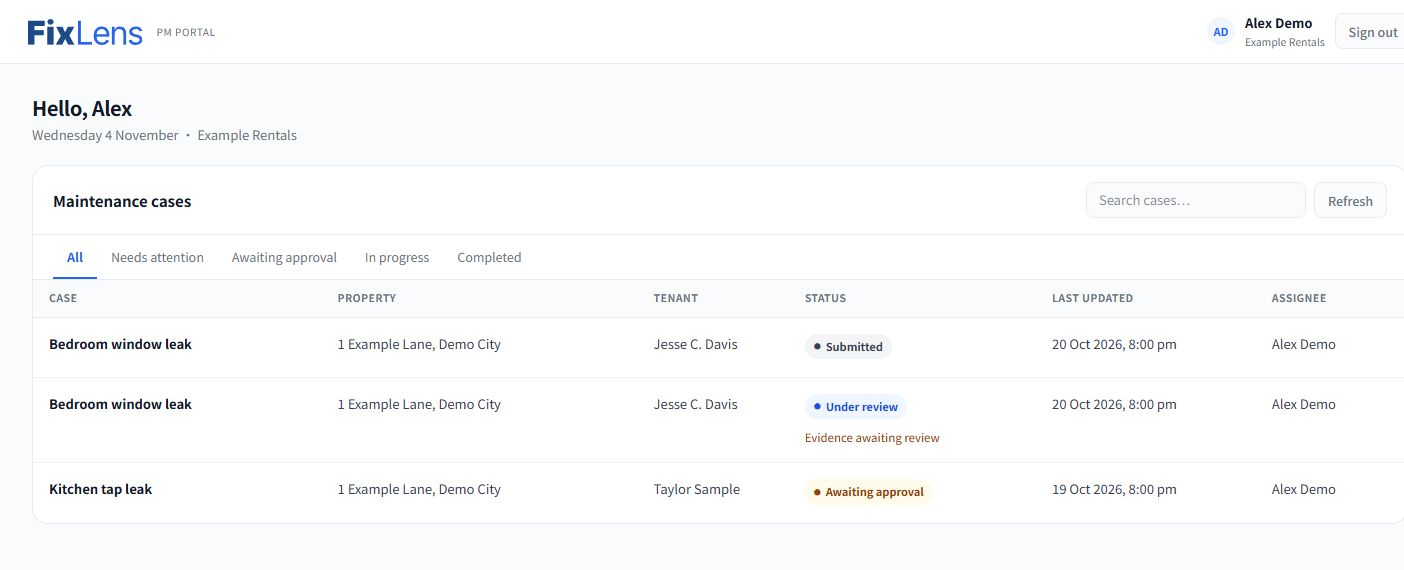
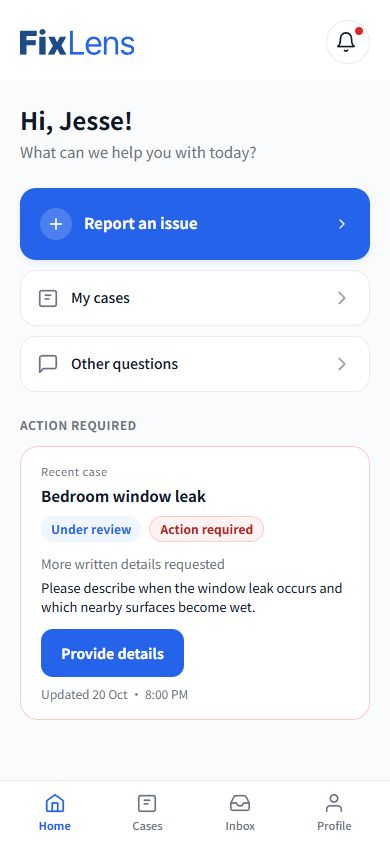
Help renters explain the problem. Give property managers the context to move it forward.
I independently researched, designed, evaluated and developed FixLens from August–October 2026. AI-assisted development brought the mobile web app and management portal into a functional exhibition application.
Visit the live application02 The challenge
01
02
03
How might we make issues easier to explain—and keep the context connected through review and follow-up?
Clearer evidence alone cannot remove approval, cost or contractor delays. The design opportunity concerns communication and continuity, rather than a claim to resolve every barrier to maintenance.
03 Research & design direction
Eight semi-structured interviews explored how issues were reported, which information mattered, and where communication became difficult.
8exploratory interviews
6 renters · 2 landlords
The focus shifted from collecting more photographs to collecting the right information—and preserving its context.
An overview establishes context; a close-up reveals detail. Intermittent faults also need timing, triggers and functional impact.
Guide people toward useful information for the issue.
Renters do not always know what will help someone assess an issue. Missing details lead to more questions.
Use manageable prompts and explicit confirmation.
Requests and handoffs can spread across channels, leaving renters unsure who is responsible or whether to act.
Attach requests, responses and next steps to the case.
I used coding and thematic analysis to identify recurring patterns across the interviews. I initially approached the problem through spatial and visual evidence; the research broadened the opportunity to relevant information, guidance and continuity as a case progresses.
04 Low-fi exploration
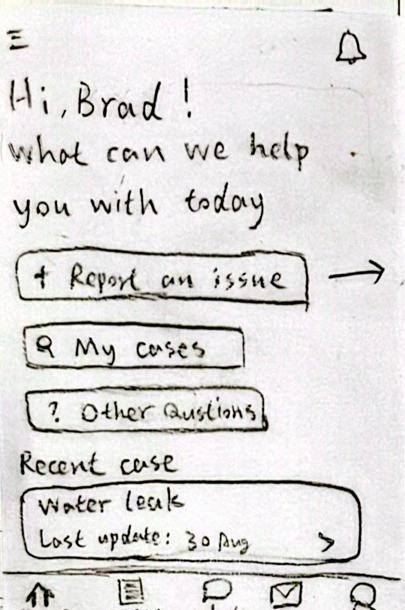
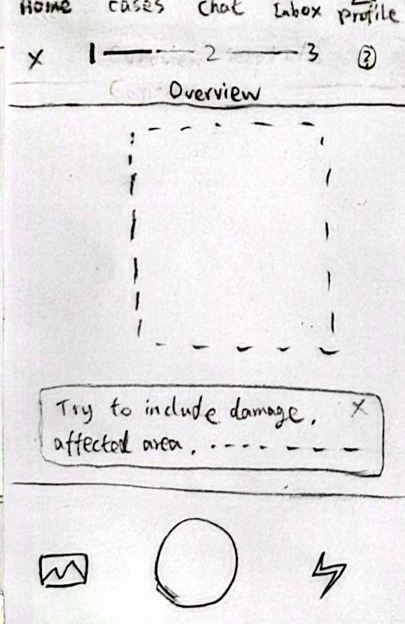
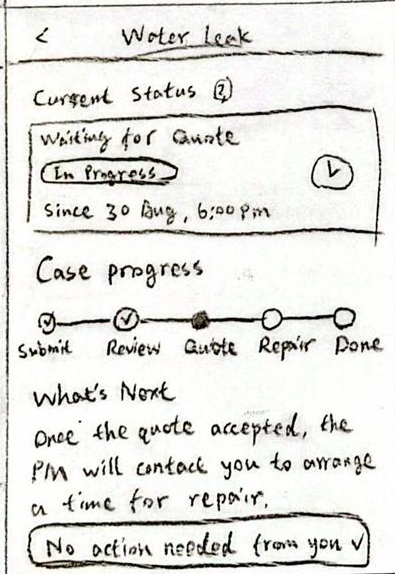
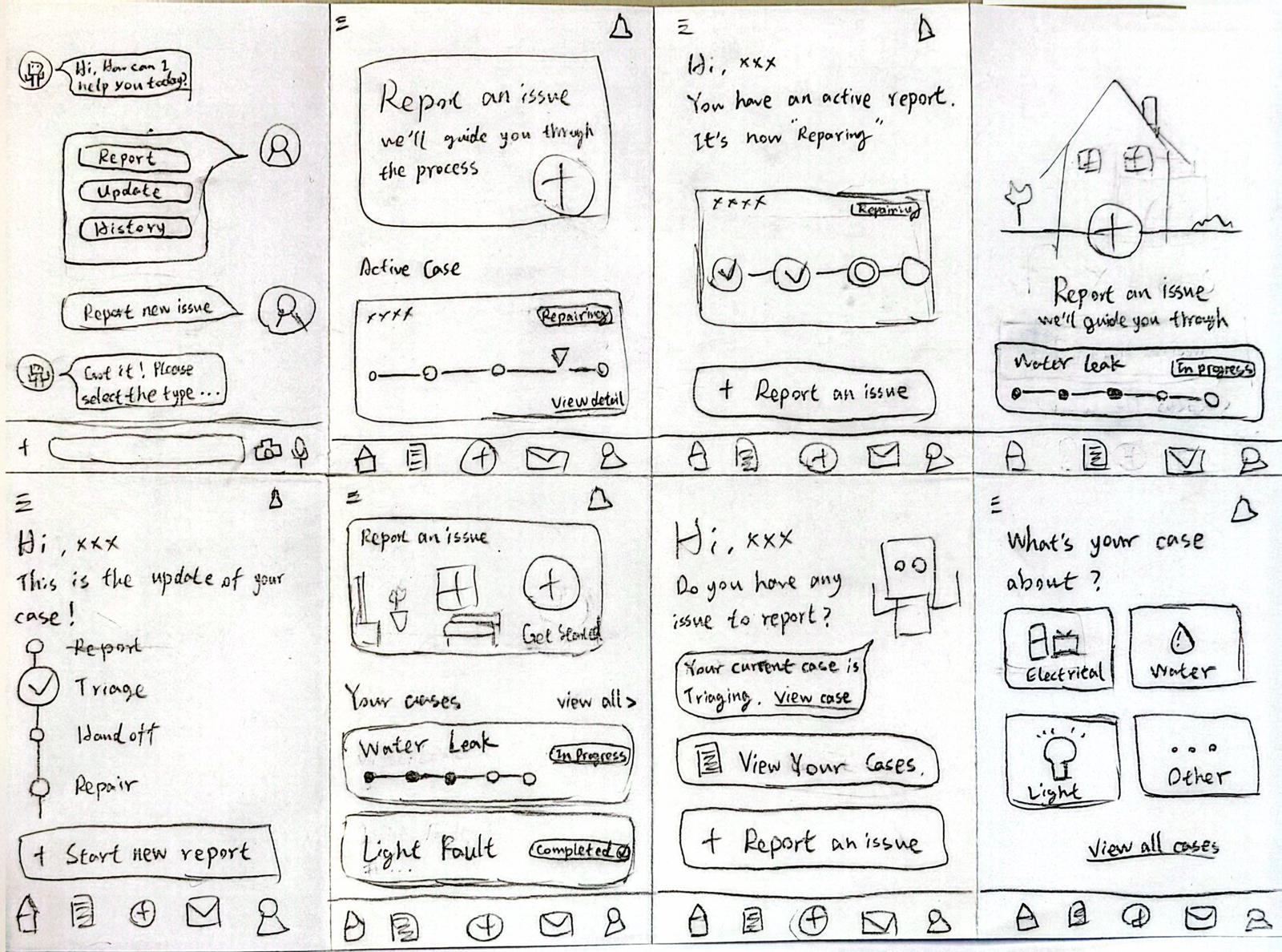
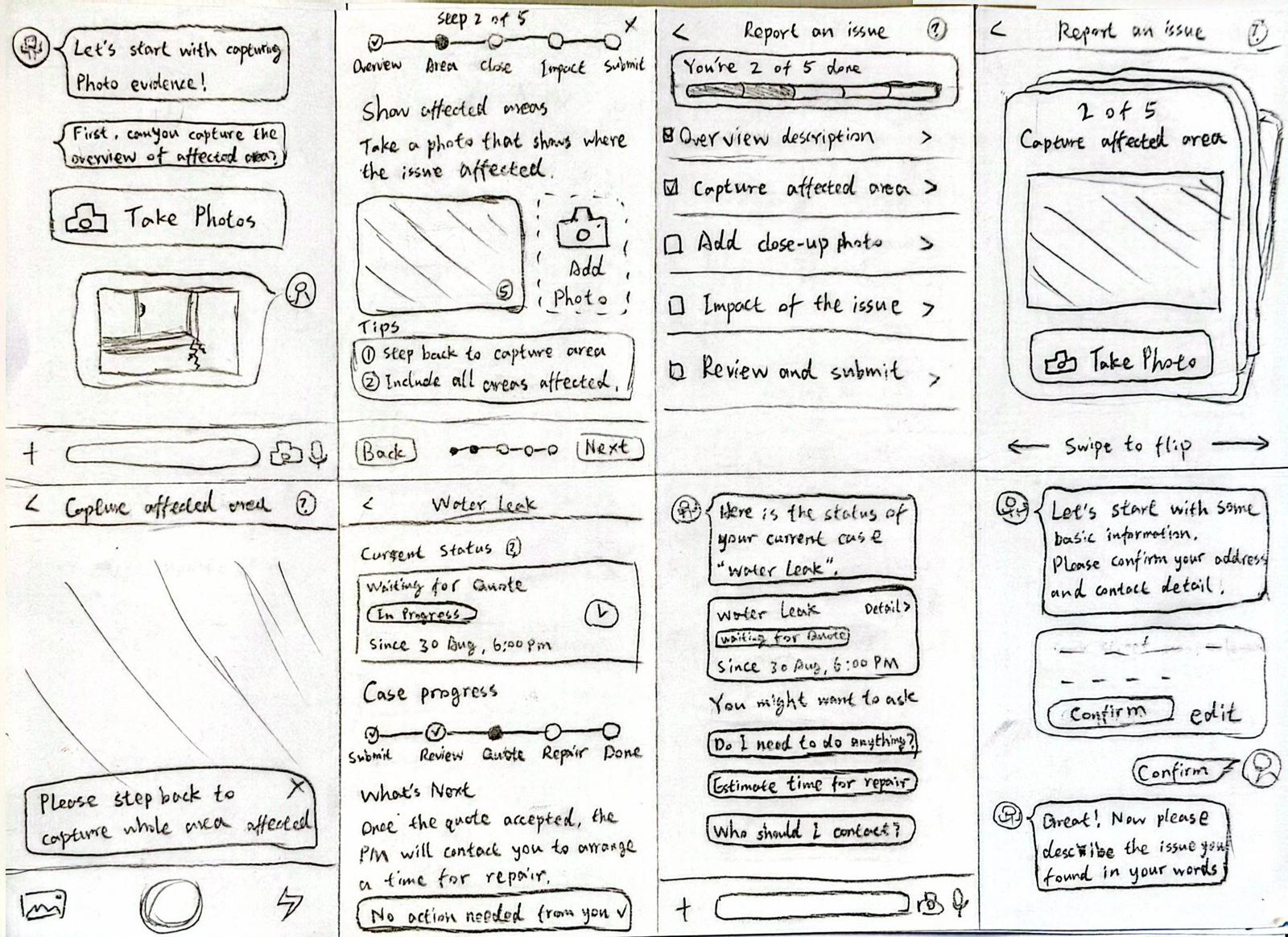
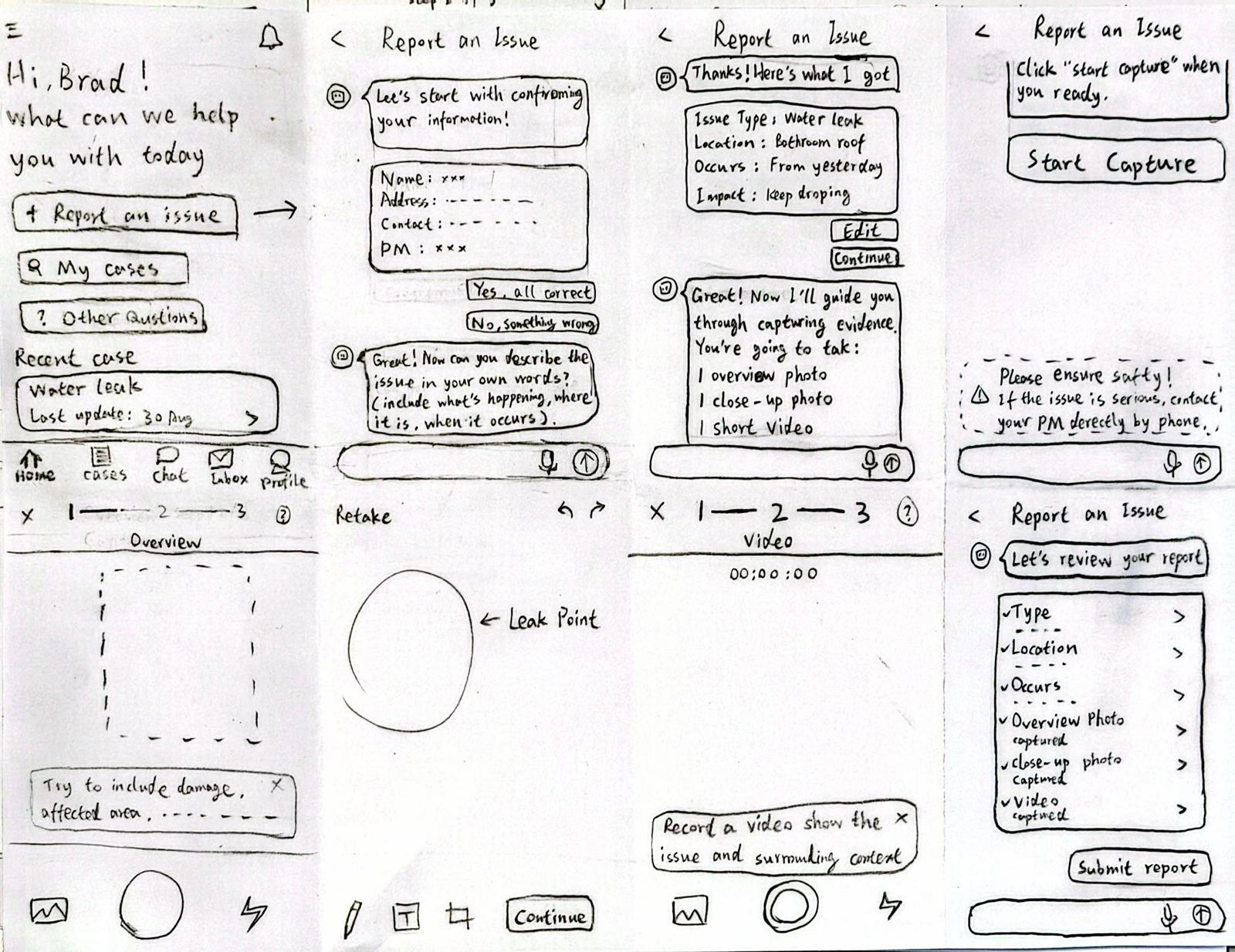
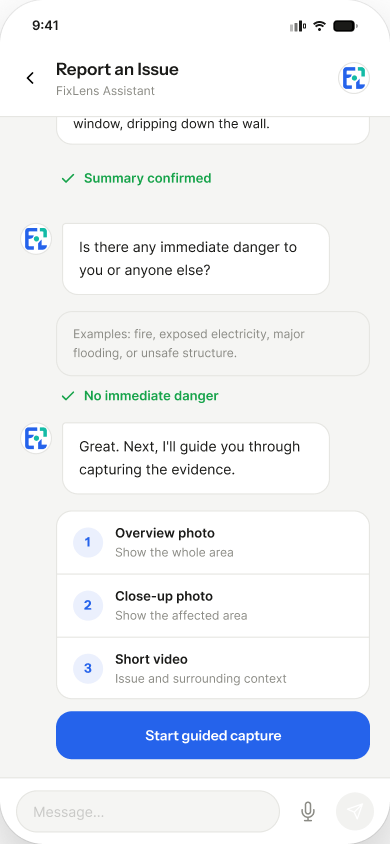
The direction became a guided conversation with structured information and explicit confirmation, keeping the renter in control.
05 Mid-fi → Hi-fi
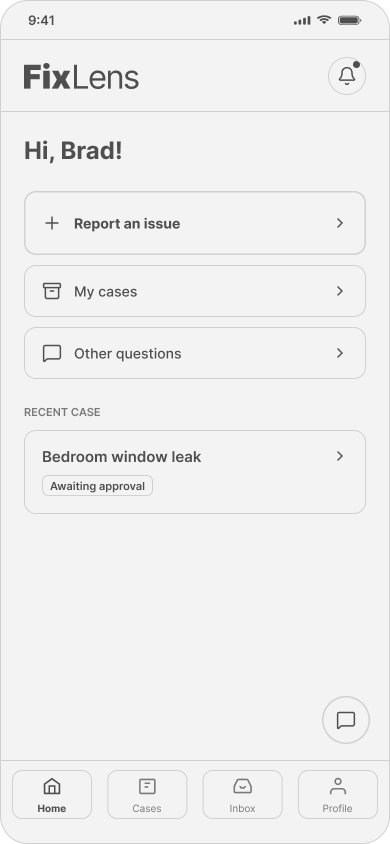
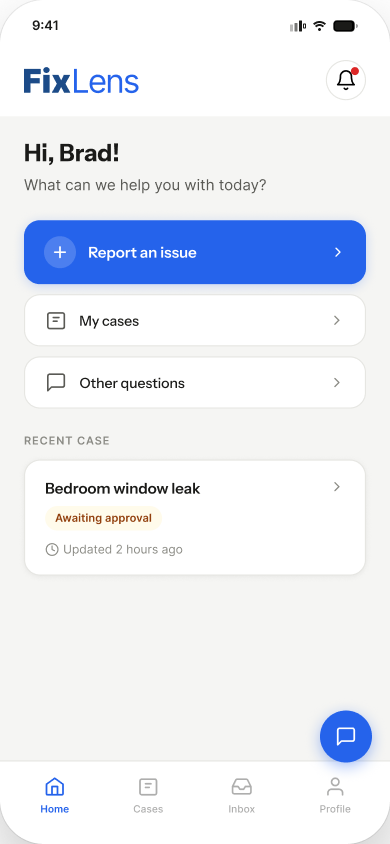
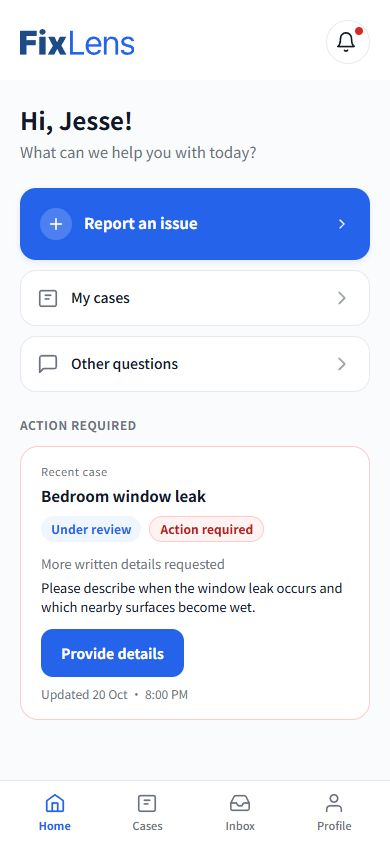
Three clear entry points. A recent case. Navigation always within reach.
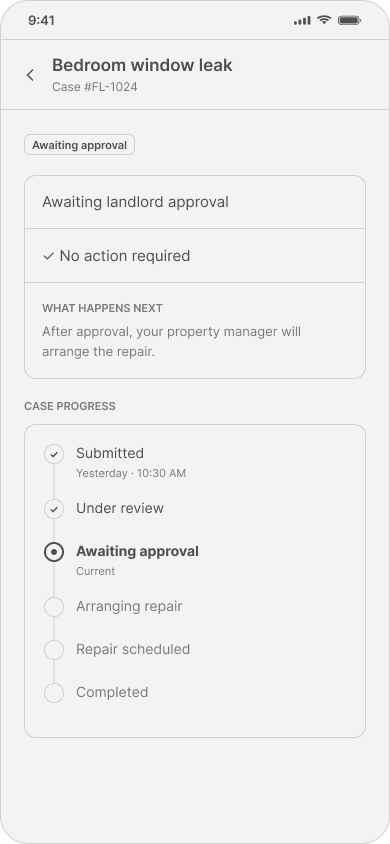
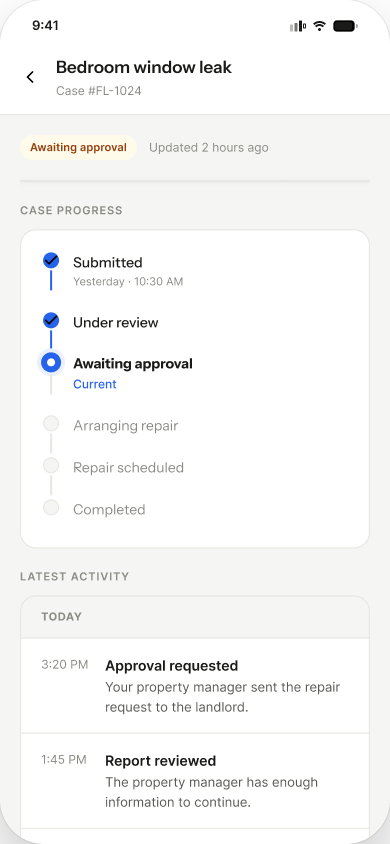
From case progress to a timeline of activity.
Mid-fi
Hi-fi
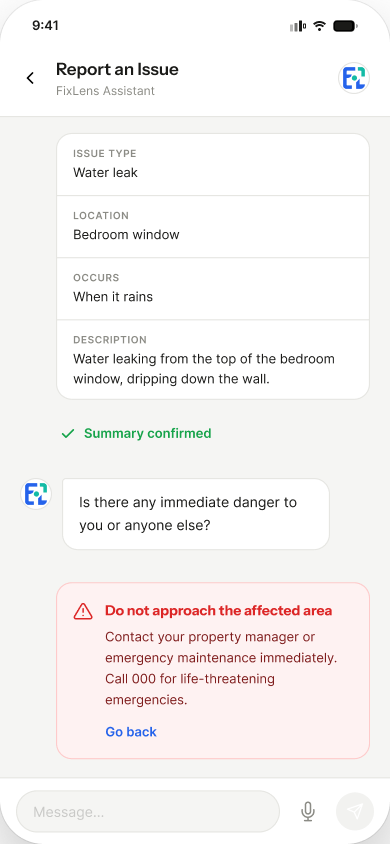
Danger reported →
Safe to continue →
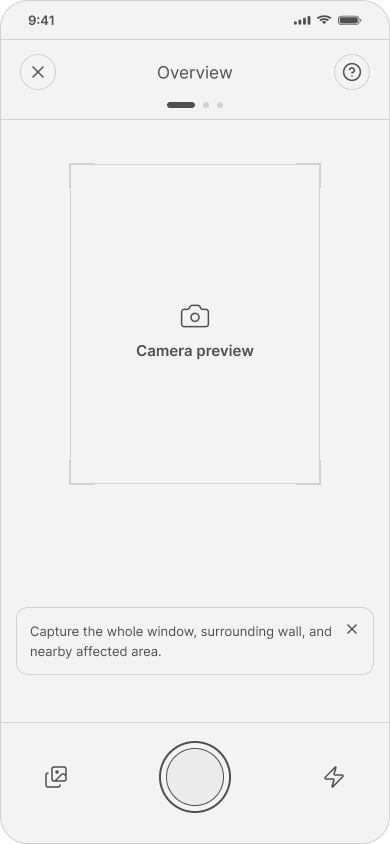
The Mid-fi capture wireframe established framing prompts and the planned evidence sequence. A corresponding cleared Hi-fi capture screen is unavailable, so it is not used in the slider.
The timeline and editable fields already existed before evaluation. Video was proposed in the prototype, but a complete recording flow was not delivered.
06 The implemented experience
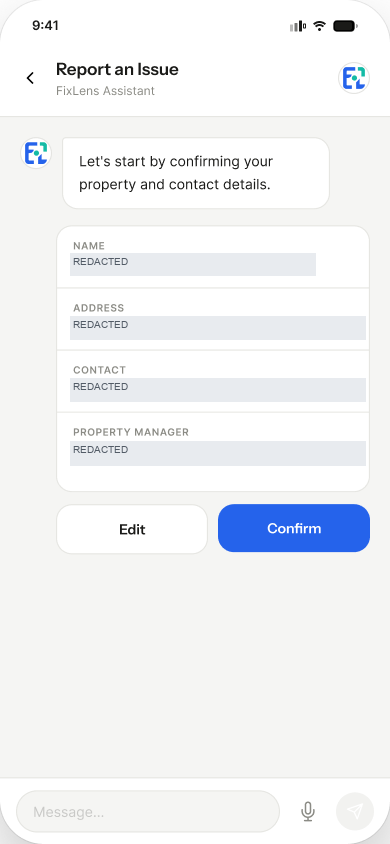
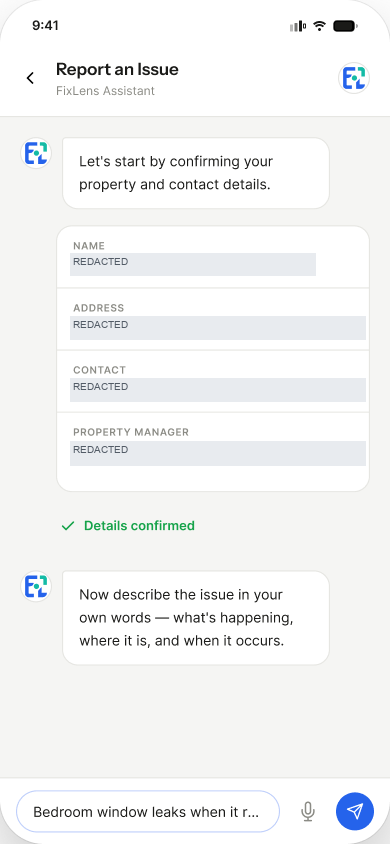
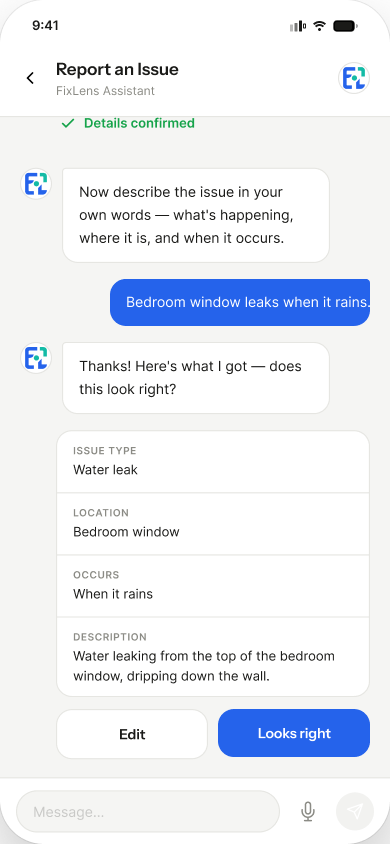
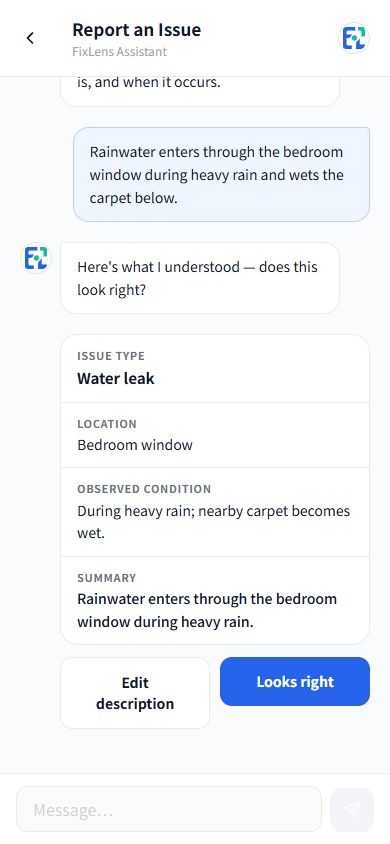
Describe the problem in your own words, then review the interpreted issue type, location and observed condition. Correct the details before proceeding.
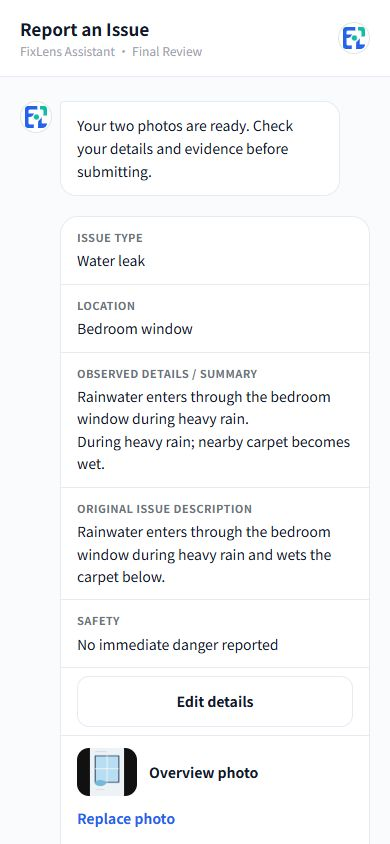
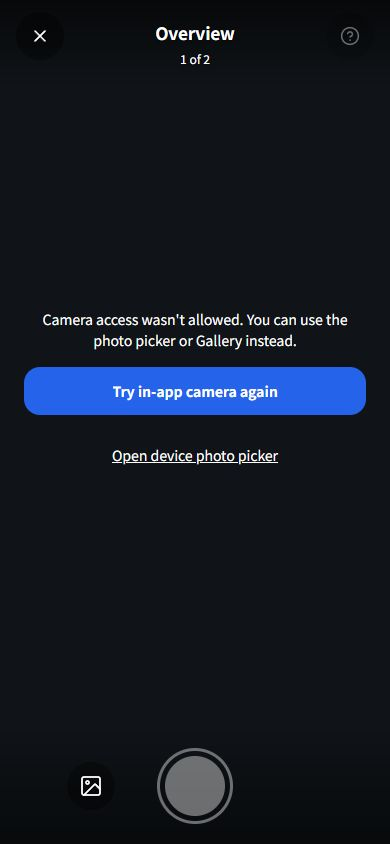
Overview and close-up photos add context. Previews, retaking and the device picker support recovery when camera access fails.
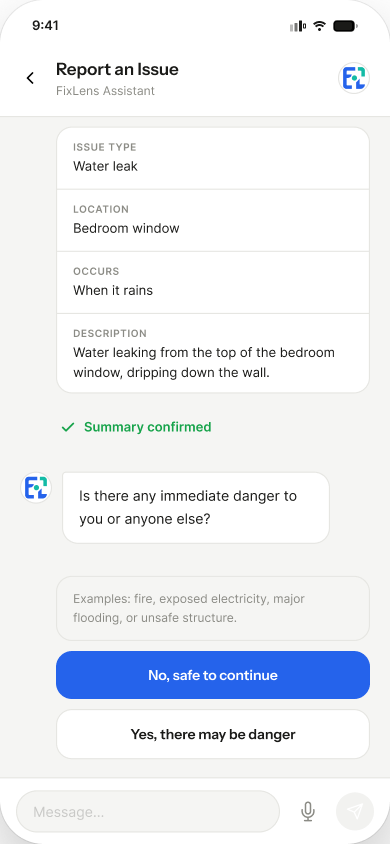
If approaching the area may be dangerous, a separate reporting path continues without photographs.
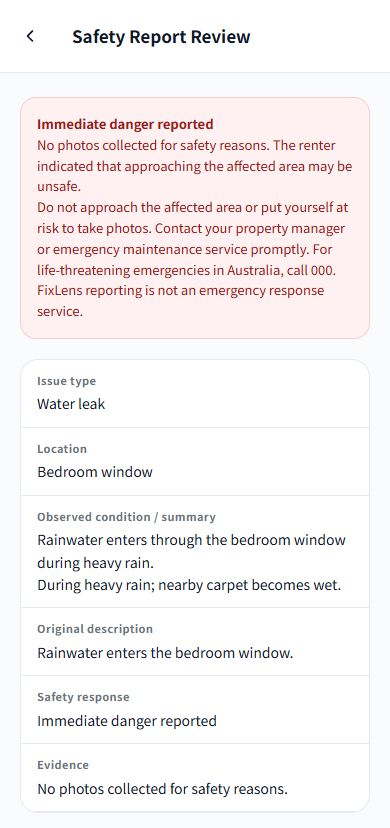
Action Required on Home links to outstanding requests. Status, responsibility and next steps stay with the case, alongside the renter's response and PM review state.
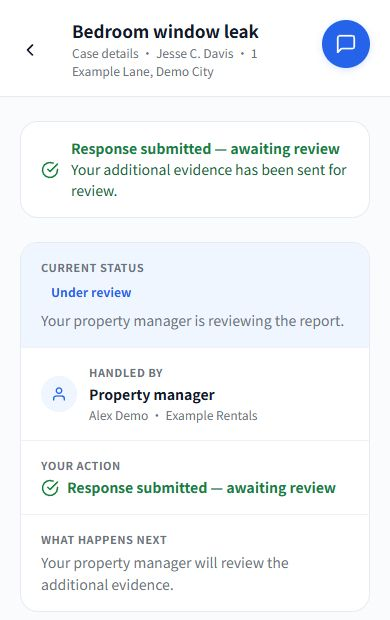
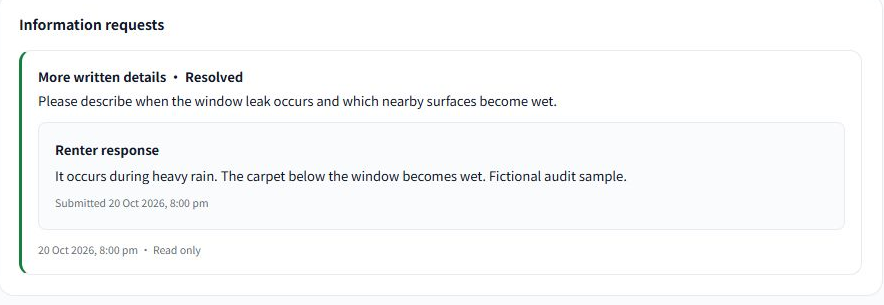
Find and review cases, request specific evidence, inspect responses and record the next workflow action.
Typed requests clarify what is needed. Manual actions and review confirmations connect the response to the management workflow.
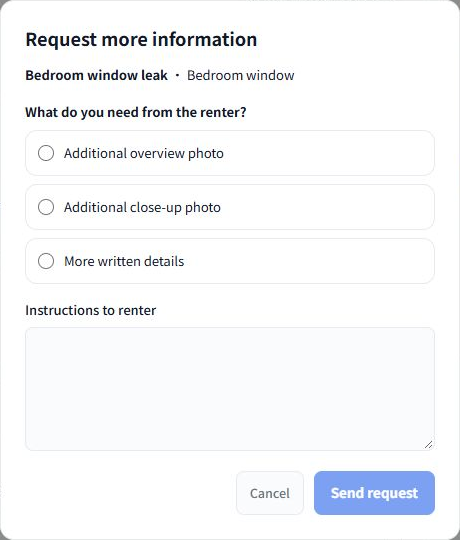
These authentic implemented screens use fictional demonstration data in an isolated local client. Independent screen layers are arranged for presentation. They are not production records or a new validation of live AI/backend services.
Ordinary reports still require two photos; danger reports can continue without them. The captures do not validate physical camera or torch performance, or computer vision. The PM request dialog is shown without sending a new request.
The exhibition application does not provide a working general PM inbox, real contractor integration or email/SMS delivery. Experimental network vision is disabled; complete video recording and full AR are outside delivered scope.
07 Hi-fi prototype evaluation
A moderated formative evaluation combined five tasks, think-aloud feedback, adapted task-ease ratings and SUS.
Mean System Usability Scale
Mean adapted task ease
Five tasks · Hi-fi prototype
Mean adapted task ease · 1 very difficult → 5 very easy
PM review and contact discovery were the lowest-rated tasks.
Six participants completed five tasks with the Hi-fi prototype. PM tasks were role-played rather than completed by professional property managers. These metrics belong to that formative prototype study, not the implemented application. There was no formal usability retest of the deployed product.
08 Iteration & development
The prototype shows a recent case. The implementation brings eligible outstanding requests onto Home with a direct response action.
Hi-fi prototype
Implemented product
Editable fields were already designed. Implementation adds report edits, photo replacement and safe retries.
Hi-fi prototype · field detail
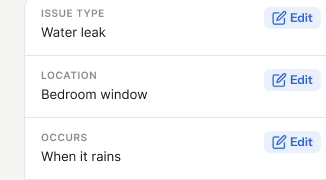
Implemented product · review
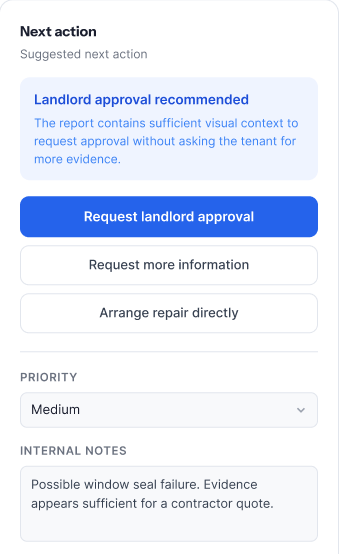
Controlled manual actions and confirmations replace recommendation-style prompts. AI does not make PM decisions.
Hi-fi prototype
Implemented product
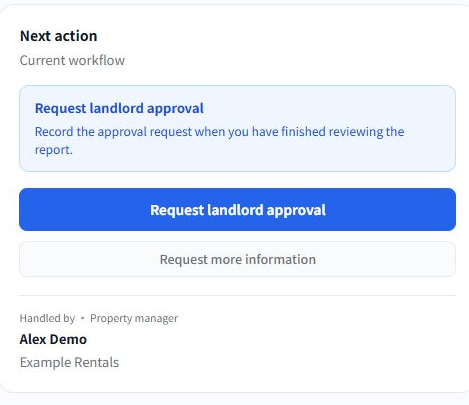
The Home comparison uses different case data and states; discoverability was not retested. The report review comparison places a prototype field detail beside a product viewport, rather than matching whole screens. Editing and the timeline predate evaluation, and the planned video step was not delivered.
Approval remains visually primary in the implemented PM controls. Decision bias was not shown to be eliminated, and contact functionality remains limited. No post-implementation usability improvement is claimed.
Implementation brought feedback, recovery and state consistency into focus. These are delivered refinements, not measured usability improvements.
I developed FixLens with AI assistance. React and TypeScript support the frontend; Supabase provides database services, private evidence storage and server-side functions. The frontend is hosted on Vercel.
Bounded AI-assisted interpretation returns structured information for renter confirmation rather than automatic diagnosis. Persisted cases, evidence, requests and review states connect the workflow. Permissions, error recovery, data handling and state consistency required decisions beyond the Figma prototype.
The result is a functional exhibition experience, not a fully validated commercial platform.
09 Reflection
Research shifted my focus from photographs and AI toward relevant information, clear responsibility and continuity across the reporting journey.
Designing for both sides taught me to connect decisions across a service. Building the application revealed what a working system must reliably support beyond what a prototype communicates.